How to prepare a printable circle skirt PDF pattern
Print a circle skirt pattern on A4 or US Letter, check calibration, assemble tiles, and identify seam allowances before cutting fabric.
 Circle Skirt Calc Team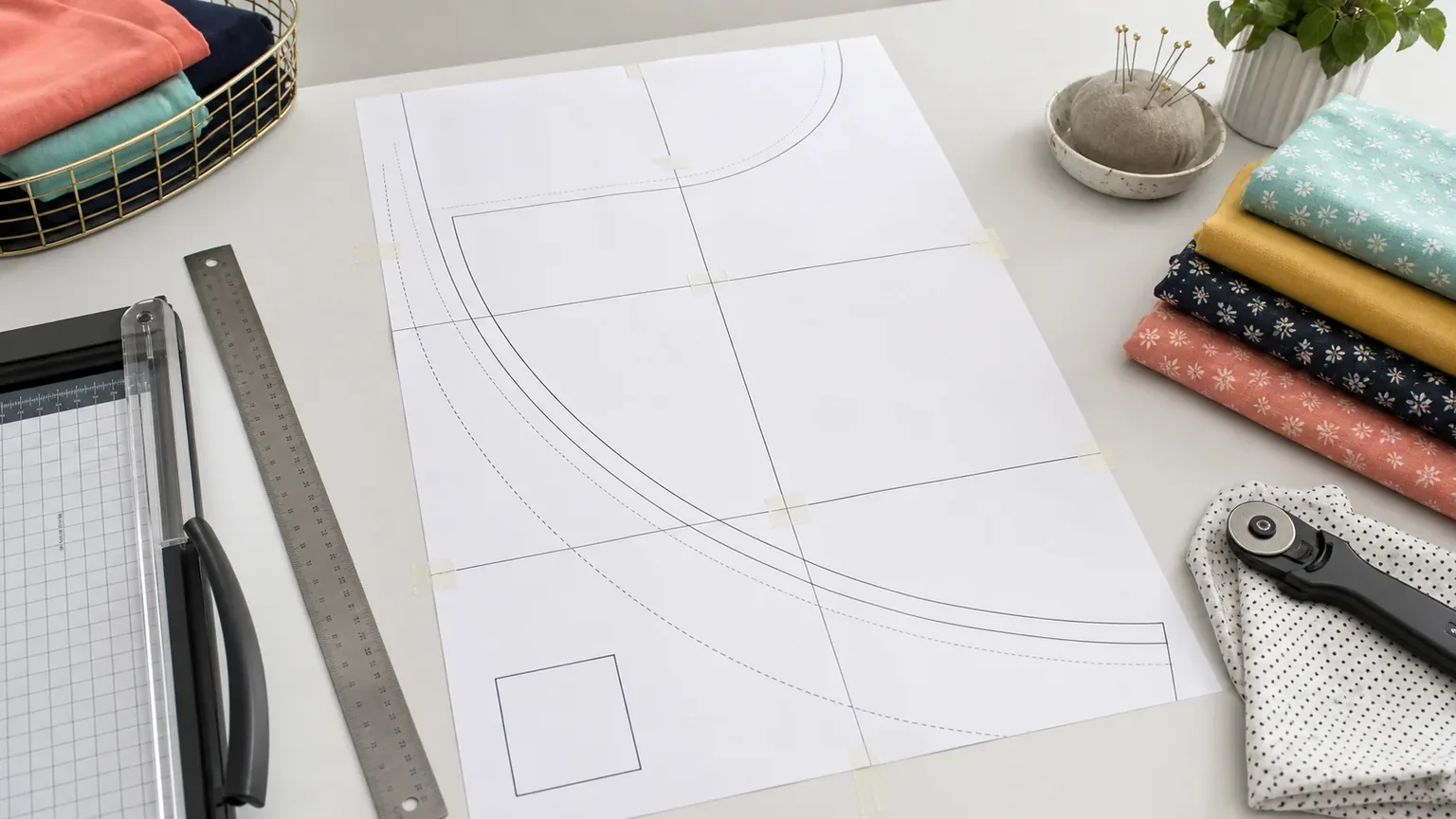
Print a circle skirt pattern at 100% on the paper size selected for the file, check the test square, then align the tiled frames before adding seam allowances. Circle Skirt Calc supports A4 and US Letter PDFs in English or Chinese. This is the final output check in the pattern-making guide; verify the measurements before generating the file.
Get the full pattern rather than a summary
Calculation and HTML summary preview are free without an account. A browser-saved PDF of that HTML page remains a summary; it is not an actual-size tiled sewing pattern. For the full pattern, sign in with a free account and save the draft as a project. On its project page, choose Download full-scale pattern, select A4 or US Letter and English or 中文, then choose Generate PDF. Save later edits before generating a new file. No paid plan is required.
Follow the paper and language instructions when selecting the file. Print it on the same paper size; switching between A4 and US Letter requires a new PDF, not a fit-to-page adjustment. The file prints one 90-degree paper template across tiles, with a cut quantity for the required fabric panels, rather than a giant full-circle spread.
Start with finished measurements
A printable PDF pattern is only as good as the measurements behind it. Before generating a circle skirt pattern, write down the finished waist, finished skirt length, fabric width, seam allowance, hem allowance, and skirt fullness.
The circle skirt calculator can turn those inputs into radius values, layout notes, and a preview before you export or copy the draft.
Check scale before cutting
Print the full pattern on the selected A4 or US Letter paper at 100% / actual size. Disable fit-to-page; it changes the pattern dimensions.
For a first print, use page 3 to measure the test square: 2 cm for a centimeter draft or 1 inch for an inch draft. If that check is wrong, stop and follow the print-calibration steps before printing the full pattern. The measurement unit determines the square size; it is separate from the A4 or US Letter paper choice.
Read the current paper template's seam lines
Keep seam allowance and hem allowance separate from finished measurements. On the current full PDF, not every printed edge is a fabric cutting line:
| Printed edge | What it represents | Before cutting fabric |
|---|---|---|
| Inner waist curve | Waist seam line | Add your waist-finish allowance toward the curve's center |
| Straight joining edges | Joining seam lines | Add the selected allowance outside the straight edges |
| Outer hem curve | Edge including the entered hem allowance | Do not add that same allowance again |
Joining allowance is reserved in the calculator's fabric estimate, but it is not drawn on the paper template. Waist, zipper, and joining allowances may differ by construction method; use the edge-by-edge allowance guide and the printed-line explanation to draw the appropriate cutting lines after assembling the paper.
For example, changing from a narrow rolled hem to a deeper turned hem should affect the outer cutting line, not the finished skirt length.
Tile the pages carefully
Start with the assembly guide on page 5. Its map follows the current measurements and paper size, with tile labels and PDF page numbers. Trim the white margins at joins and align neighboring frame edges, rather than lining up whole sheets. Use the tile-alignment instructions before taping; small page errors can become visible along the long hem.
A tile can look blank because it falls inside the paper template or a straight seam lies on the frame. Keep tiles marked for retention; only skip positions explicitly marked outside the template. Check the blank-page explanation before discarding paper. Assemble one paper template and reuse it for the stated fabric cut count instead of printing that many complete sets.
Before cutting fabric, lay the taped paper pattern flat and check:
- The waist opening is smooth.
- The hem arc is continuous.
- Page joins do not create corners.
- Grainline and cut-quantity notes still make sense.
- The quarter panel plus added seam allowances fits your fabric plan.
Use the PDF as a verified cutting aid
A PDF pattern should not replace judgment. It should make the geometry easier to verify. Compare the printed pattern with your measurements, read the layout notes, and make sure the fabric width can support the cut you plan to make.
If you are new to the measurements, start with the measurement guide before printing the final pattern. Once the inputs and allowances are settled, calculate and save your draft, then follow the full PDF print instructions.